iSurge
A free activity monitor that lives at the Mac’s notch, and adds a thousand processes up into the apps you actually use.
- Platform
- macOS 15 or later, Apple silicon
- Released
- 4 October 2026
- What we built
- The Mac app, the brand and the website
- Live at
- isurgemac.com
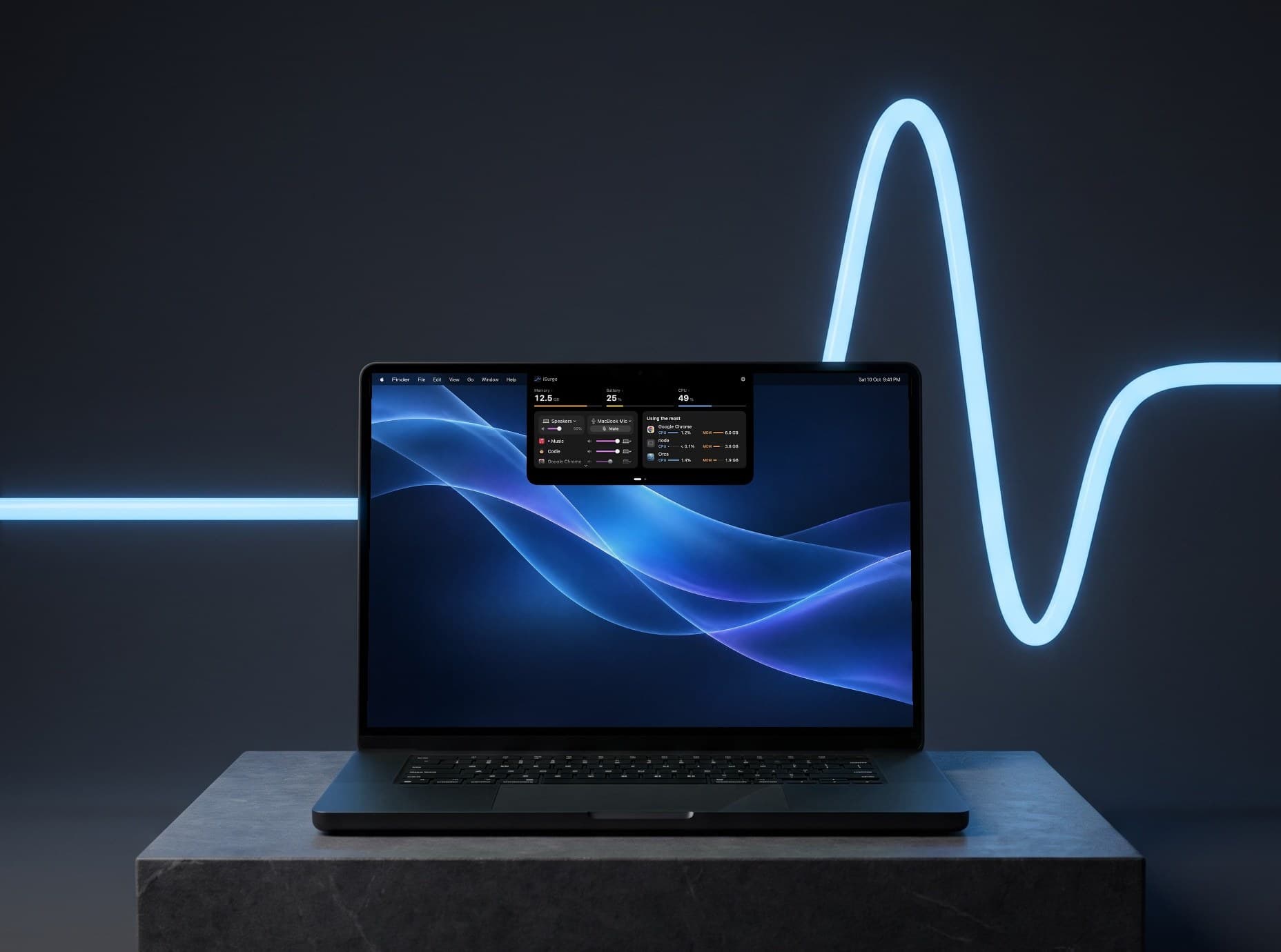 iSurge, opened from the notch
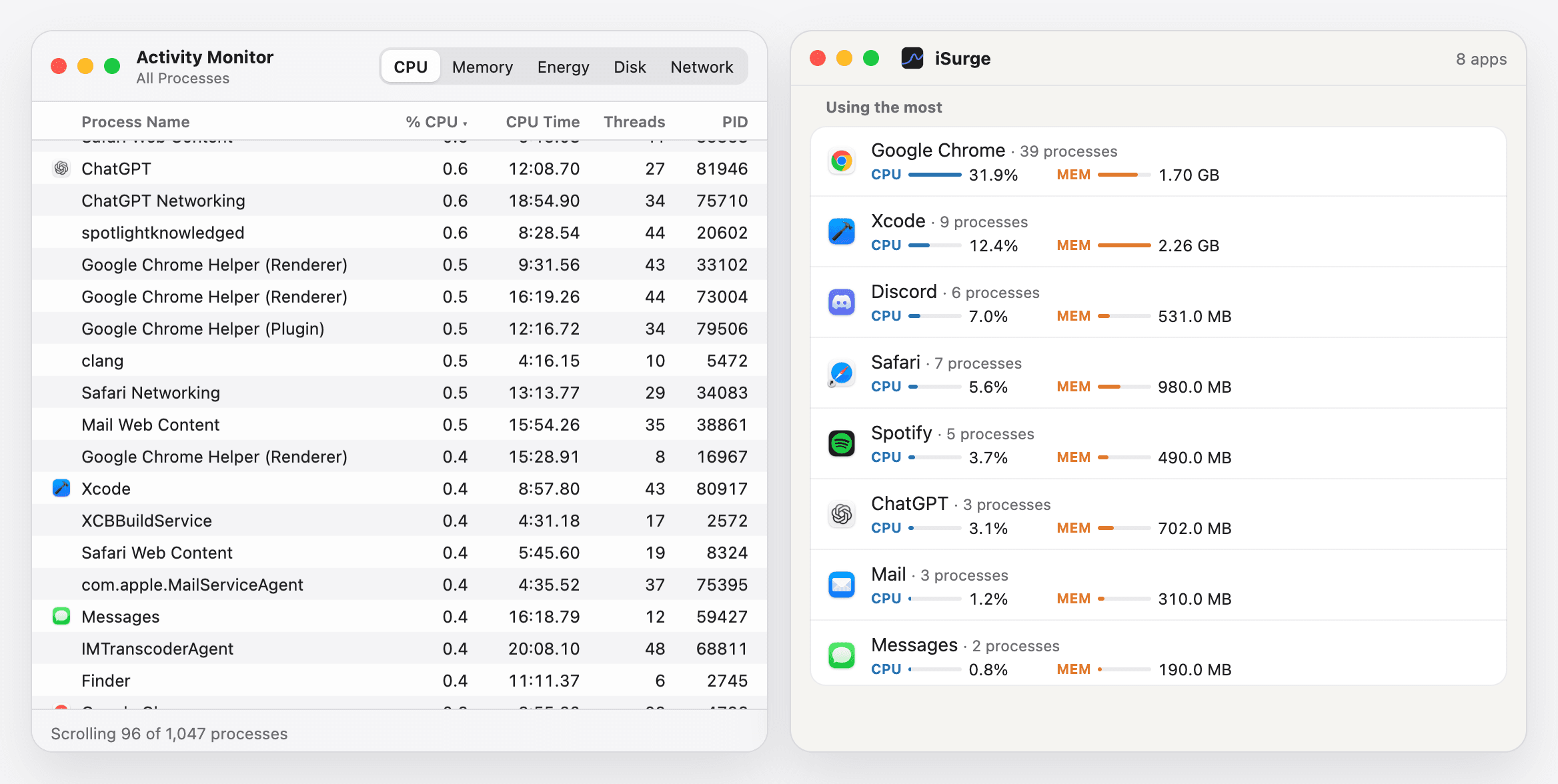
A thousand processes, a few apps
Activity Monitor lists every process, about a thousand on a normal day, and leaves you to work out which belongs to which app. iSurge adds the helpers up into their apps: here 1,047 processes become 8 apps, and Google Chrome’s 39 are one row.
Your Mac’s pulse, at the notch
Two live numbers sit either side of the notch, and whatever’s playing shows on the right. Rest the pointer on it and it opens; swipe for GPU, disk, network and temperature.
Quiet, until it matters
Most of the day iSurge is two small numbers. It speaks up when an app keeps eating memory, and it hands you a volume for every app the moment something starts playing.
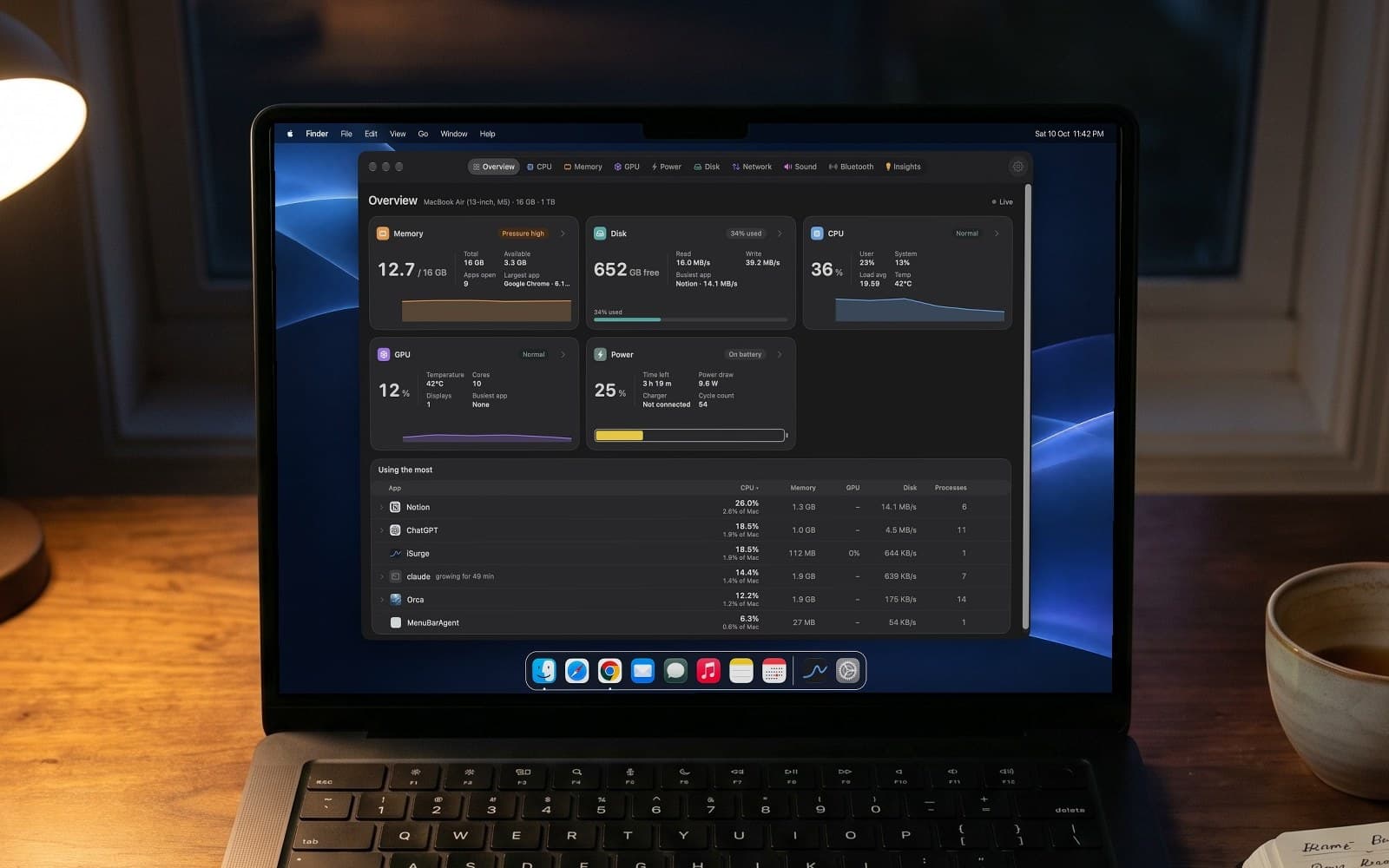 Late, and memory is under pressure
Sound
Control the sound of every app
Turn the music down without touching the call. Each app gets its own volume, and its own speakers or headphones.
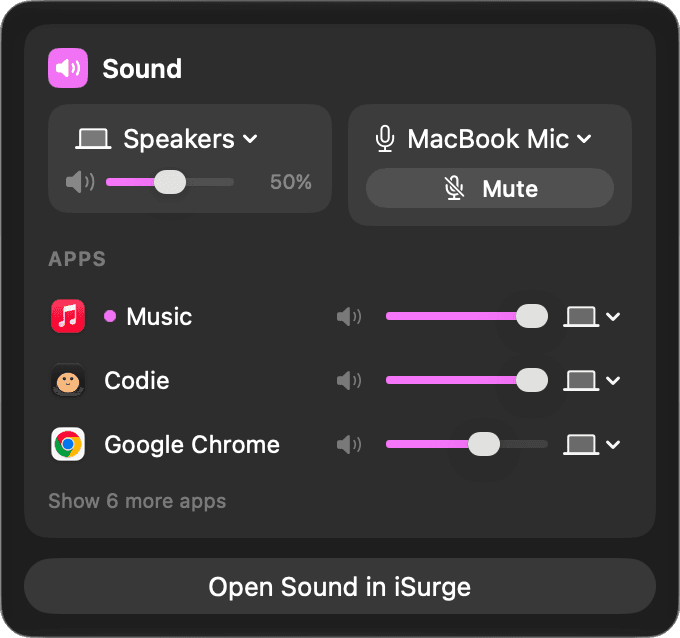 The same, one click away in the menu bar
A line that surges once
One mark, a line that runs flat and rises once, the way a busy moment looks on a graph. And a colour for every stat, the same in the notch, the menu bar, the window and the site.

CPU
#5FB0F2
Memory
#FF9F45
GPU
#B27CFF
Power
#4CD07D
Disk
#2EC4B0
Network
#8079FF
Sound
#F171F4
Temperature
#F2815F
STAYS ON THIS MAC
Nothing leaves your Mac
No account, no analytics, no tracking code. Sound passes through iSurge on its way to your speakers and is never recorded. The only connection it makes is a daily check for updates.

The site says it in one line
isurgemac.com opens on the whole idea, an activity monitor at your notch, with the download right under it. Free, with no account and no ads.
 isurgemac.com, the home page
Have a product idea that needs to be real? Start in a week.